
How it works
Cuvatrix does one month's settlement work for one client at a time: it reads the client's confirmed contract and the month's delivery workbook, groups the trucks into invoices, prices every invoice the way the contract does, and keeps the evidence.
-
Confirm the contract
The client's chart and clauses become settings you can read: the payable matrix by grade and LME, the volume bonus or grade bands, the payable cap, the acid threshold and cost, the commission, and how trucks below the first grade are treated. Each setting is confirmed against the chart, and the settings the app finds easy to get wrong are flagged before they are saved.
-
Import the month
The delivery workbook is read as it comes: truck, voucher code, wet and dry tons, moisture, grade, copper, acid, LME and dates. Its structure is checked first. A truck with no LME can take the month's average cash-settlement price, once you agree to it.
-
Resolve the preflight
Before any money is calculated, you see which trucks are included, which are rejected for their acid, which are below the matrix and how they will be settled, and which trucks wait for your decision. The contract reading the run will use is shown with them.
-
Search the groupings
A separate worker groups the trucks into invoices and keeps searching for a grouping that pays more while keeping every rule. Where the month allows it, an exact solver proves the best grouping. Calculations run one at a time, and a real month can take several minutes.
-
Inspect the result
The result lists every invoice: its trucks, average grade and acid, payable, bonus, penalties, commission and final amount. It says whether the grouping is proven optimal or how far it can be from the mathematical ceiling. You can see what a different reading of a clause would change, and compare a grouping you supply.
-
Export the evidence
Excel and PDF reports carry the contract version and the run they come from. A stored run is rebuilt from its own inputs and must reproduce its total to the cent, or it is not trusted.
The screens
One fictional client and one synthetic month, run through the app as it is.
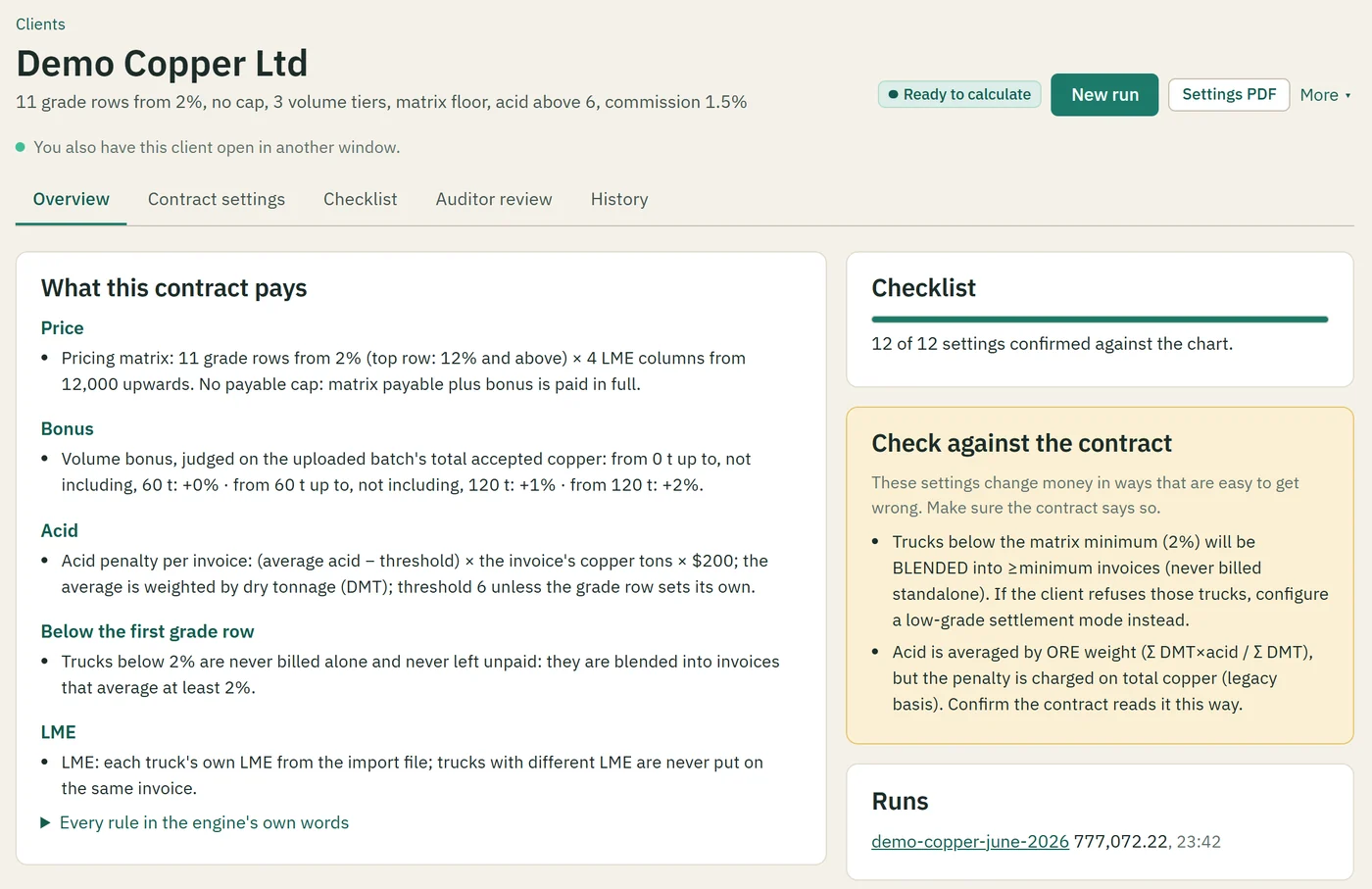
The contract, confirmed
The client page reads the contract back in plain words, shows how many settings are confirmed against the chart, and flags the ones that change money in ways easy to get wrong.
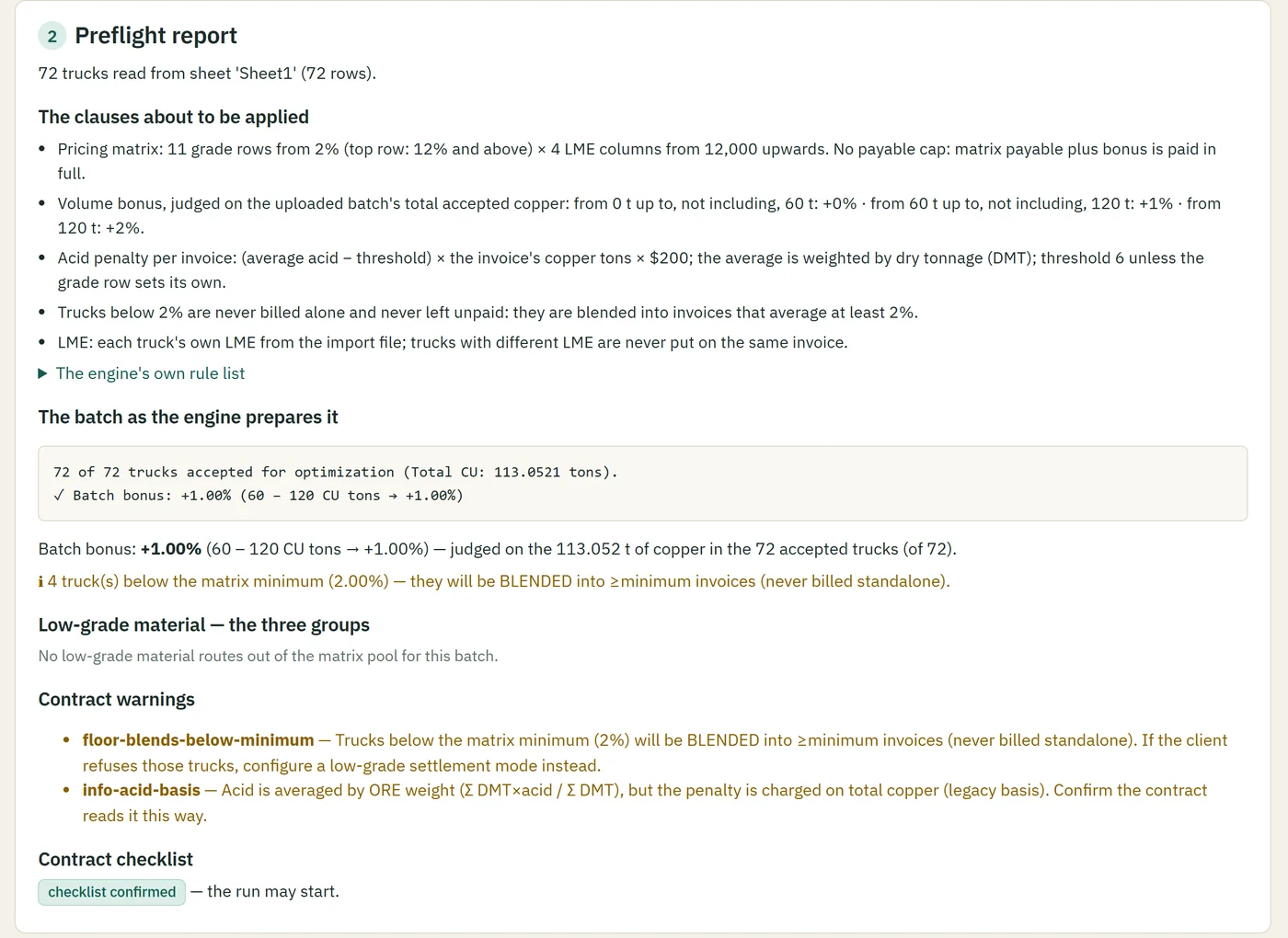
The preflight
Before the calculation: the trucks read, the clauses about to be applied, the batch bonus, the trucks below the matrix and how they will be treated, and whether the checklist allows the run.
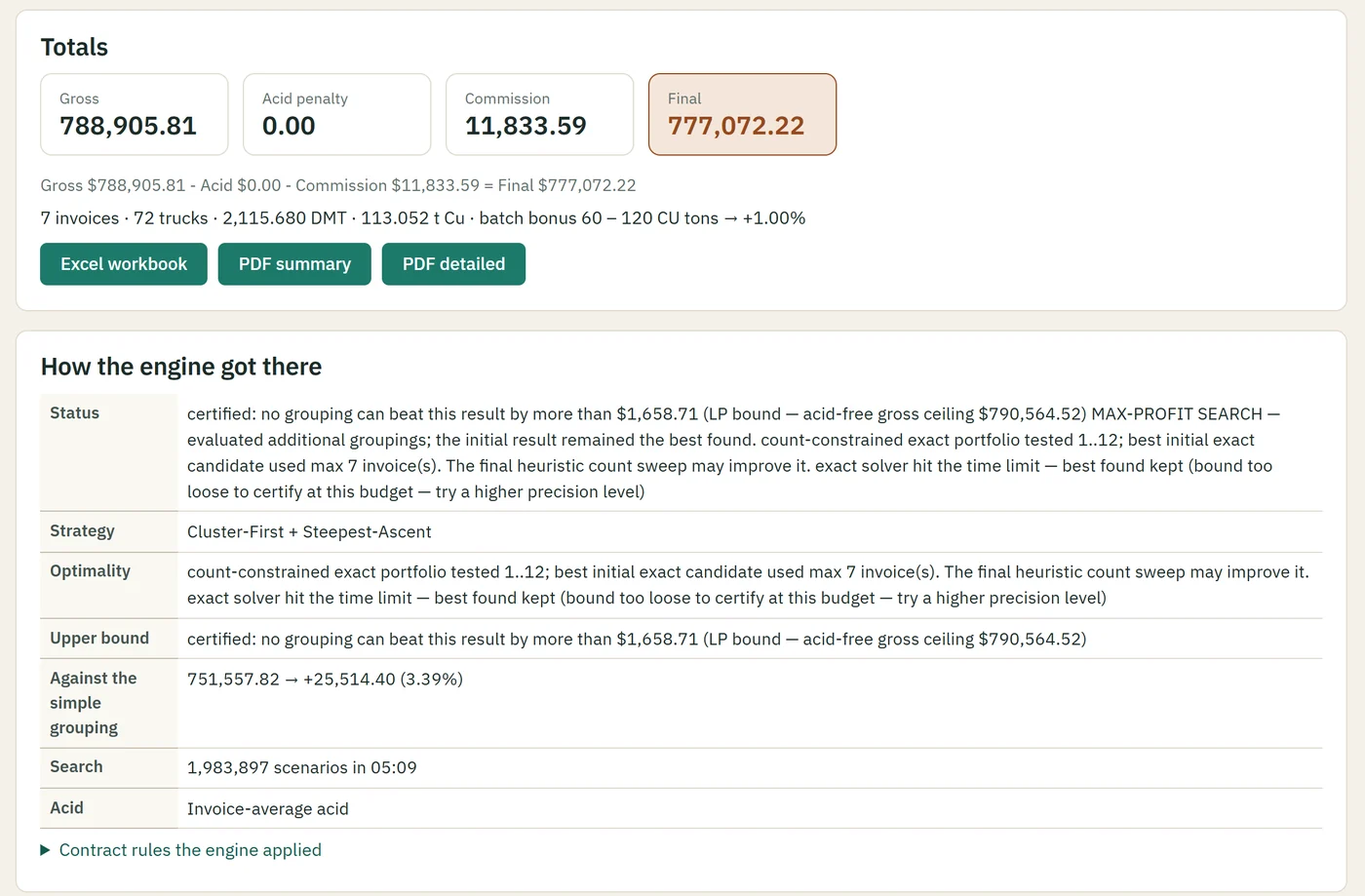
The result
The totals, the downloads, and how the engine got there: the search, the bound no other grouping can beat, and the gain over grouping the trucks simply.
What changes the money
Grouping matters because the contract pays by each invoice's average. Moving one truck can lift an invoice over a grade line, or bring its average acid over the threshold. The search weighs both.
Cuvatrix searches for stronger groupings; it claims the best possible grouping only when the exact solver has proven it for that month.
Comparing with another grouping
Supply a total, and the truck-to-invoice grouping in the supported layout. Cuvatrix prices that grouping under the same contract and shows where the difference comes from: the grouping, or a rule read differently.
See your own month resolve.
We confirm your contract's compatibility before the first live run.